1. Start with a few folders you will actually use
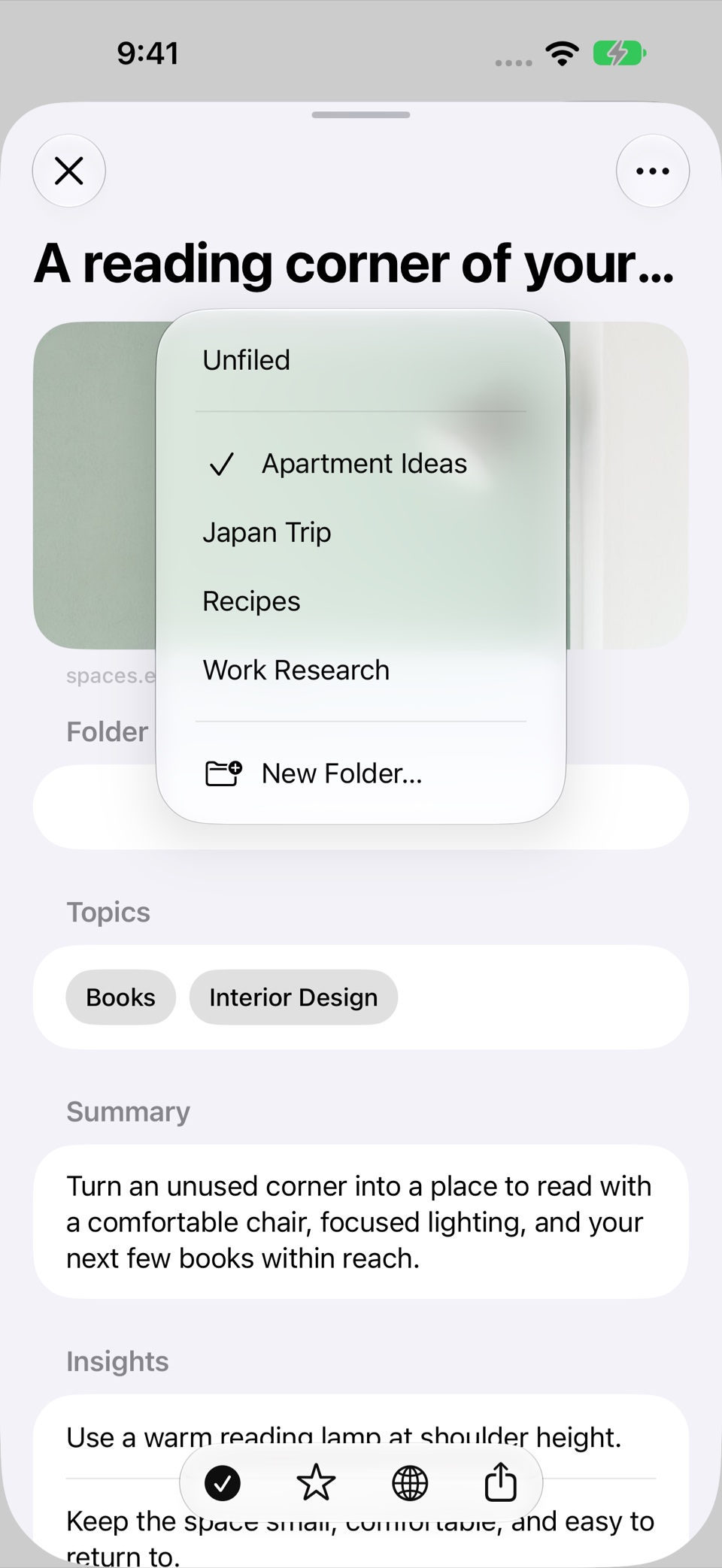
Choose folder names that describe an active project or a lasting interest. “Apartment Ideas,” “Japan Trip,” and “Work Research” each give a saved link a clear home. A folder called “Interesting” tells you much less about what you will find inside.
Do not try to predict every category your future library might need. Begin with the collections you can name today and create another when several links clearly belong together.
For a small library, broad folders can be enough. Once a project becomes active, a dedicated folder gives you a place to return to the sources that matter for that work.
2. Write down why a link mattered
A title describes a page. A short note describes your reason for saving it. That distinction becomes useful after a few weeks, when the thumbnail looks familiar but the reason does not.
Useful notes can be short: “Compare this layout with the other apartment,” “Explains the tradeoff I need for the proposal,” or “Try this when friends visit.” You are leaving a reminder for yourself, not writing a second article.
In Recall, you can keep notes with a saved link. Its AI summary describes the source, while your note preserves your own context.
3. Separate importance from reading status
“I have read this” and “I want to find this quickly” are different decisions. A source can stay important long after you finish reading it.
Use reading status to track what you have worked through. Use favorites for the links you expect to revisit. This keeps a favorite from becoming an ambiguous signal that might mean either unread or useful.
For example, you might mark a destination guide as read while keeping it favorited during the trip. An interesting article you have not yet opened can remain unread without being a favorite.
4. Review before adding more structure
When a folder becomes hard to scan, look through what is in it before creating a new system. Some links may no longer be useful. Others may fit a new active project better.
Summaries and topics can help you recognize a page without opening every source. Check the original article when you need the details. Remove a link when you no longer want it in the collection.
A short review of one active folder is often easier to maintain than a complete reorganization of the whole library.
5. Practice finding things by their meaning
Try returning to an item without relying on its title. What do you remember: the subject, a place, a question, or the reason it was useful?
In the sample Recall library, “quiet places in Japan” is enough to start a semantic search. The relevant titles do not all need to repeat the exact query.
When you want one saved link, Voice Recall lets you speak a description. When you want to compare several sources, typed search gives you results to inspect.
A simple routine to keep
Save the link when you find it. Choose a useful folder. Add a note if the reason is not obvious. When you return, review the summary, open the source, and update its reading status.
The system can stay small. What matters is having a reliable path from a useful discovery to the moment you need it again. See how link organization works in Recall for the available controls.
Written with AI assistance and checked against Recall’s current features. Screenshots use sample links.