
Recall for Mac
Give your links
room to make sense.
Keep useful web links beside the work you are doing. Recall for Mac gives your saved library and selected article room on the same screen.
See how it works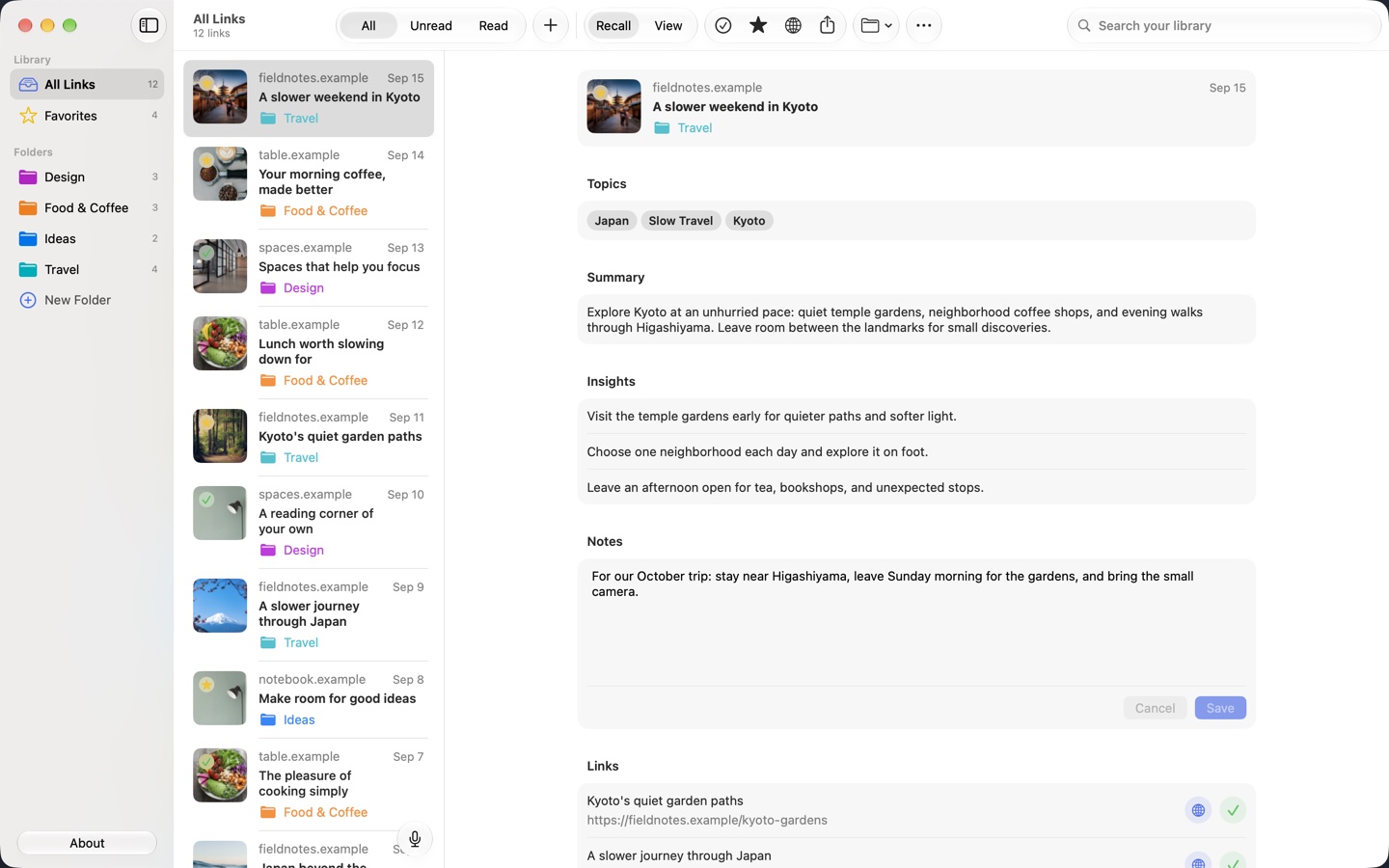
A library you can work through
Use the Mac library to move between saved sources while keeping the selected item in view. Review its summary, inspect topics and insights, and return to the source when you need the full context.
This is useful when you have a project’s worth of reading to revisit. Start with a folder, then move through the links that belong to that work.
Find a source in the middle of a task
Search with the words you remember rather than leaving your work to retrace an old browsing session. Semantic search can surface relevant saved content even when you cannot recall the title.
Use Voice Recall when describing the link is the easier route. It searches the same personal library.
The links you saved on your phone are here too
With iCloud sync, a link saved on iPhone can be waiting in your Mac library once changes synchronize. Add a note or mark it as read as you work through it.
Recall requires macOS 26 or later and a Mac that supports Apple Intelligence, with Apple Intelligence enabled. An iCloud account is required for sync, and microphone permission is required for Voice Recall.
A few useful details
Questions about Recall for Mac.
Is Recall a browser extension or a Mac app?
Recall is a native Mac app. You can save web links into its library and open the original pages in your browser.
Does it work with my iPhone library?
Yes, through iCloud sync when both devices use the same iCloud account and have Recall’s iCloud access enabled.
Save it for later.
Find it when it matters.
Get Recall on the App Store Requires iOS 26, iPadOS 26, or macOS 26 or later and a compatible device with Apple Intelligence enabled. iCloud account required for sync. Microphone permission required for Voice Recall.