Start with the decisions you need to make
Before saving everything about a destination, write down a few open questions. Where might you stay? What kind of pace do you want? Which places would justify a change of route?
These questions give your collection a purpose. A neighborhood guide answers a different question from a restaurant booking page, even if both mention the same city.
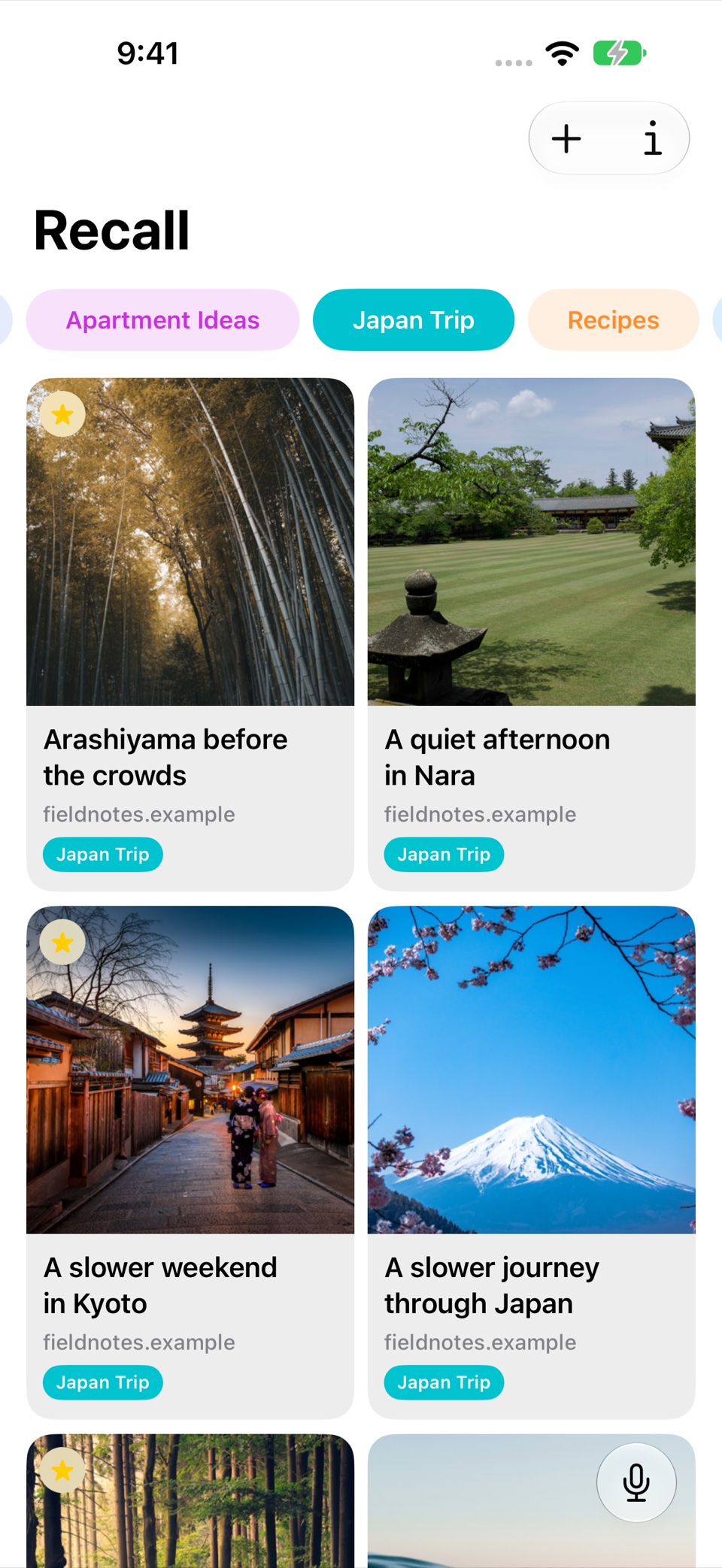
The Japan links shown in Recall’s screenshots are a sample library for demonstrating the app. Treat them as an example of organization, not as a set of current travel recommendations.
Keep one clear home for the trip
Create a folder for the trip and save the source links as you find them. Start with one collection rather than deciding on a complicated folder system before you know what the trip needs.
Keep the original address for each useful article or service. When you later need a current opening time or booking option, the source link is more useful than a remembered snippet.
In Recall, a preview, title, and AI summary can help you recognize a page while browsing the collection.
Use notes for the decision behind the link
Add a note such as “Possible first neighborhood,” “Compare transport from here,” or “Save for a slower afternoon.” The page tells you about the place; your note explains its role in your plans.
Be careful to distinguish a source’s claim from your own assumption. A note that says “Check whether it is open on Monday” is more useful than silently treating an old article as confirmation.
Favorite the links involved in a decision you are making now. Reading status can show which sources you have reviewed without making the entire collection a to-do list.
Search by the experience you remember
You may remember “quiet places in Japan” more easily than the name of an article about Kyoto. That is the kind of description you can try with semantic search.
Browse the results when you want to compare several sources. If you remember one particular page, describe it with Voice Recall to return to a matching saved link.
Search works with the content you have saved. If a promising place is missing from the collection, use your usual web research tools to find its source before saving it.
Check the original source when plans become concrete
Articles and summaries are useful for discovering ideas. Availability, prices, booking rules, and opening hours can change. Revisit the relevant original website before relying on any of those details.
Keep the source links for the places you choose in your trip folder. Add a note when a decision is settled, so you can distinguish an interesting possibility from a place you intend to visit.
Take the collection to the screen you need
Use Mac or iPad when you want to review several possibilities, then let iCloud sync bring the saved collection to iPhone. Allow time for synchronization before you need the links on another device.
A useful travel collection does not need to include every place you might visit. It needs to make the sources behind your next decision easy to find.
Written with AI assistance and checked against Recall’s current features. Screenshots use sample links.