
For something you want to try
Good recipes
deserve a way back.
Save the recipe link when you find it. Add a note about what caught your eye, then come back when you are ready to decide what to make.
See how it works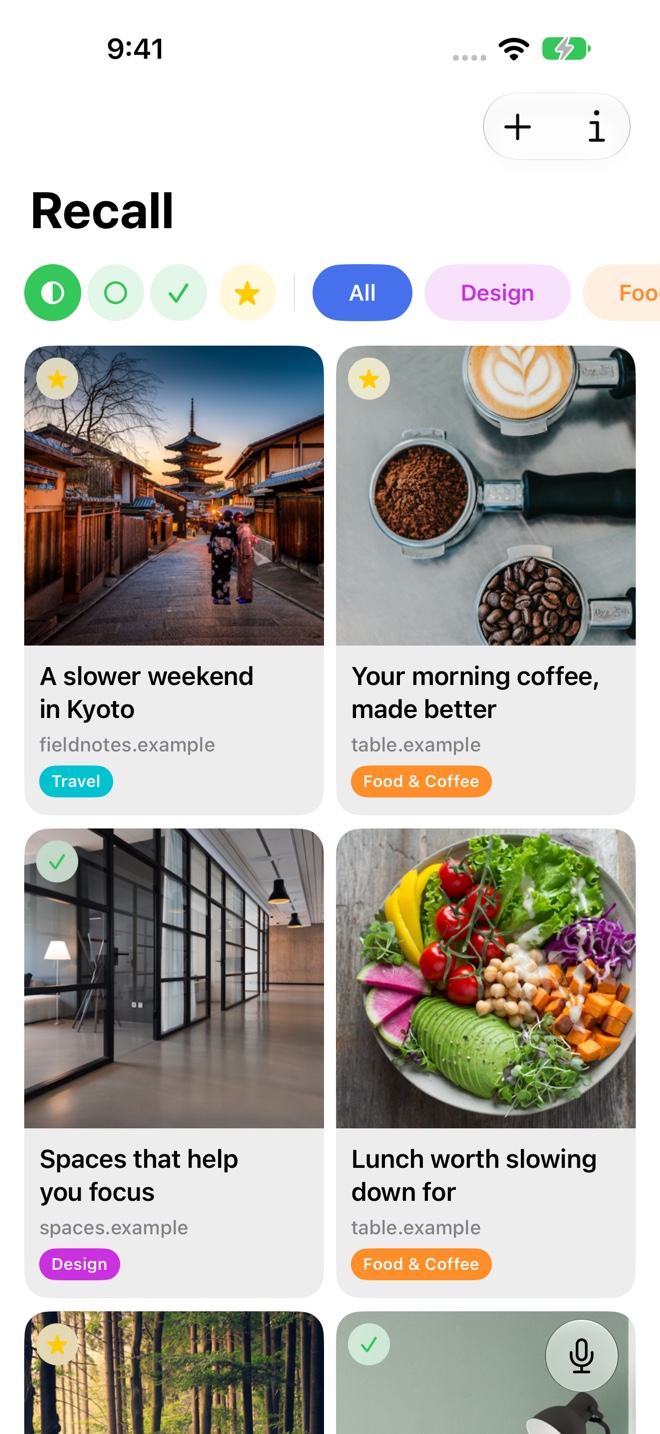
Keep the recipe’s original link
Use the share menu or paste a web address into Recall to save a recipe page. Keep recipes and food articles in a folder that is easy to revisit.
The original source remains the place to check ingredients, quantities, and cooking instructions. Recall organizes the links you want to return to.
Make the collection useful to you
Choose folders such as Weeknight Ideas, Baking, or Recipes to Try. Add a note about the occasion or the reason you saved a page, and favorite the links you want to keep close.
A saved item’s summary can help you remember its subject, but should not substitute for the complete recipe.
Search for what you remember
If you remember a dish or a theme better than the title, use search to find relevant saved links. Voice Recall offers another way to describe the item you want.
With iCloud sync, links saved while browsing on Mac can be available on iPhone or iPad when you come back to them.
A few useful details
Questions about Recipe links.
How can I separate recipes I want to try from favorites?
Use a folder for recipes to try and favorite the links you want to keep close. Add notes about the occasion or what you liked.
Where should I read the actual cooking instructions?
Open the original recipe link for complete ingredients, quantities, and instructions.

Save it for later.
Find it when it matters.
Get Recall on the App Store Requires iOS 26, iPadOS 26, or macOS 26 or later and a compatible device with Apple Intelligence enabled. iCloud account required for sync. Microphone permission required for Voice Recall.