
A Raindrop.io alternative for Apple devices
Recall vs
Raindrop.io
Both help you save and rediscover links. Recall brings AI summaries, semantic search, and Voice Recall to a personal library on iPhone, iPad, and Mac. Raindrop.io also serves people working across browsers and operating systems.
Compare the detailsComparison by Recall · Updated September 17, 2026
At a glance
Scroll sideways to compare →
| What matters | Recall | Raindrop.io |
|---|---|---|
| Devices | Native iPhone, iPad, and Mac apps. | Web, browser extensions, Windows, Mac, iOS, and Android apps. [1] |
| Organization | Folders you choose, favorites, reading status, and notes. | Collections, tags, filters, and multiple library views. [1] |
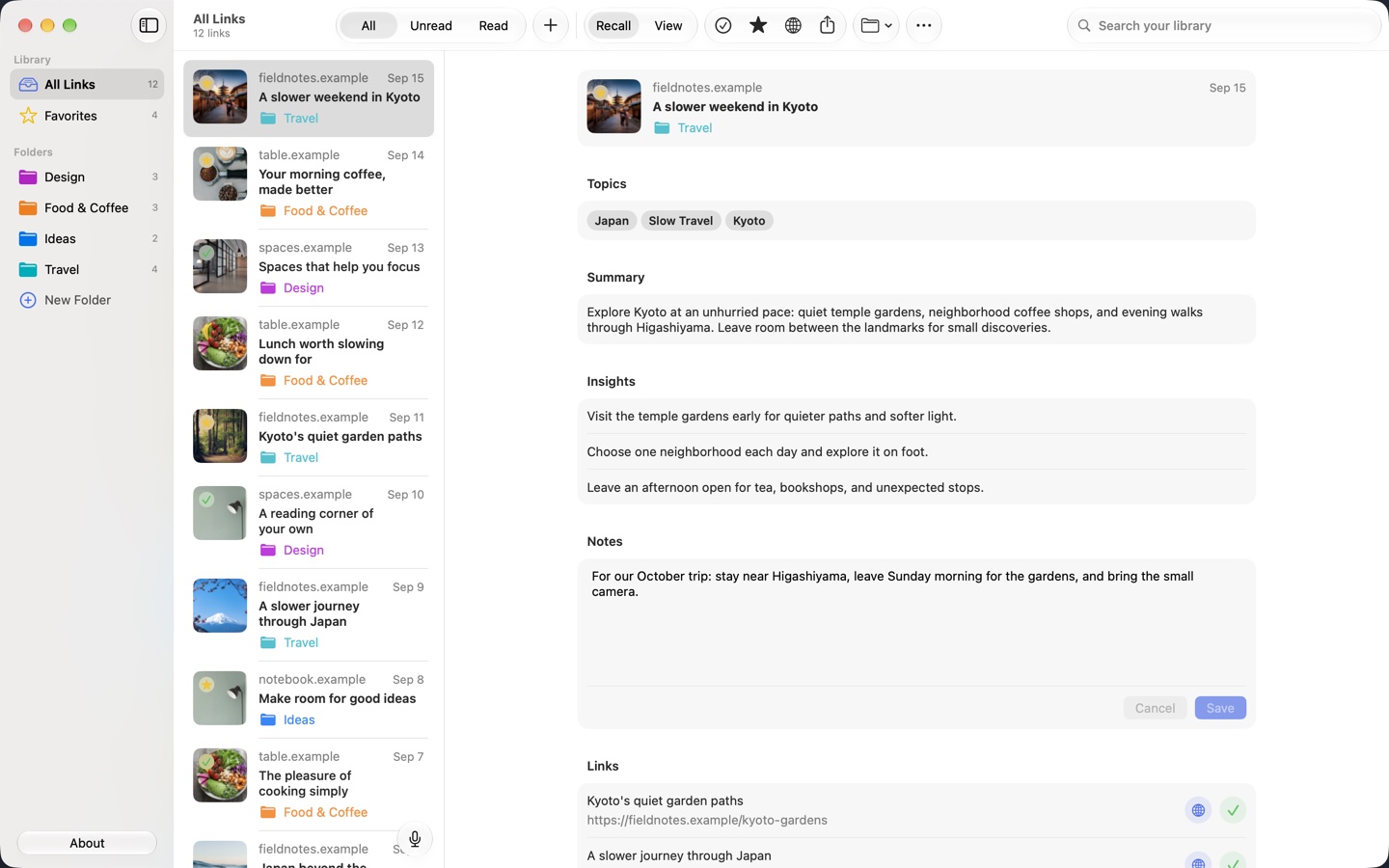
| AI workflow | Summaries, topics, insights, semantic search, and Voice Recall. | Stella can find by meaning, summarize, and suggest organization changes; currently a Pro beta. [2] |
| Working with others | A personal library, synchronized through your iCloud account. | Collection members can have editing or read-only access. [3] |
Start with the devices you use
If your useful links need to travel between Windows, Android, and Apple devices, Raindrop.io’s platform coverage is a reason to consider it. For a collection shared with others, its collection permissions matter too.
Recall is built around a personal Apple-device workflow. Save an article on iPhone, let iCloud sync bring it to Mac, and review it alongside your other sources. Your folders, notes, and reading status stay with the collection.
Both products use AI to help you return to links
Raindrop’s Stella assistant supports natural-language retrieval, summaries, and library organization. Its documentation describes a conversation with your saved material and proposed changes you can approve.
Recall places an article’s summary, topics, and insights in its detail view. Search gives you relevant results to browse. Voice Recall takes a spoken description and opens a matching saved link.
For example, you might remember an article about a morning coffee routine without remembering its title. Recall lets you describe that memory aloud and return to the saved page.
Which workflow suits your collection?
We would consider Raindrop.io for a collection that spans operating systems or needs several contributors. Consider Recall when you want a personal AI link organizer on your Apple devices, with spoken retrieval as part of the everyday workflow.
Recall requires a compatible device with Apple Intelligence enabled. Read the device requirements before choosing it, and compare the actual saving and retrieval steps that matter to you.
Begin with a small, useful collection
Start with links from one active project. Save their URLs through the share menu or by pasting them into Recall, choose a folder, and add the context you want to remember.
Try browsing the folder, searching for a subject, and describing one item with your voice. That gives you a practical way to assess Recall before moving more of your collection.
Sources and review
Published by Recall. Competitor details were checked against the official pages below on September 17, 2026. Recommendations about which app fits a workflow are our assessment.
A few useful details
Questions about Recall vs Raindrop.io.
Does Raindrop.io have AI features?
Yes. Its Stella documentation describes meaning-based retrieval, summaries, and organization assistance, currently offered as a Pro beta.
Can several people edit the same Recall library?
Recall uses a personal library synchronized through your iCloud account. For collaborative collections, see Raindrop.io’s member permissions.
Save it for later.
Find it when it matters.
Get Recall on the App Store Requires iOS 26, iPadOS 26, or macOS 26 or later and a compatible device with Apple Intelligence enabled. iCloud account required for sync. Microphone permission required for Voice Recall.